

The music timeline party game
Play a song on another device, let Chrono Vibes recognize it, then drag the mystery card into the right spot on your timeline by year. Get it right, score a point.

What is Chrono Vibes?
Chrono Vibes is a music recognition party game for iPhone where you build a personal timeline of songs. Each turn you listen to a song snippet, receive a mystery card, then place it into the correct year slot. Reveal to score and pass the phone to the next player.
Music trivia, but kinetic
Instead of typing answers, you make fast guesses by placing cards into a timeline.
Great for parties
One phone, many players. Perfect for living rooms, bars, and game nights.
Quick to learn
Three core actions: listen, drag, reveal. Everything else is momentum.
Built for quick, competitive fun
Real song recognition
Tap the mic button and let the app recognize the song snippet you're playing on an external speaker/device.
Drag into your timeline
Place the mystery card where you think it belongs. You can adjust placement until you hit Reveal.
Multiplayer, one phone
Hand the phone to the next player after each turn. Everyone builds their own timeline and races to the win target.
How it works
Shuffle your anchor year
At the start of your first turn, you get a random anchor year to begin your timeline.
Play a song elsewhere
Use a speaker, laptop, or another phone. Keep the snippet playing near your device.
Listen, then place
When the app finds a match, you receive a mystery card. Drag it into your timeline where you think the year belongs.
Reveal to score
Tap Reveal to confirm. Correct placements stay and score. Wrong placements reveal briefly and fade away.
Step-by-step with screenshots
The captions describe what's happening in each step.
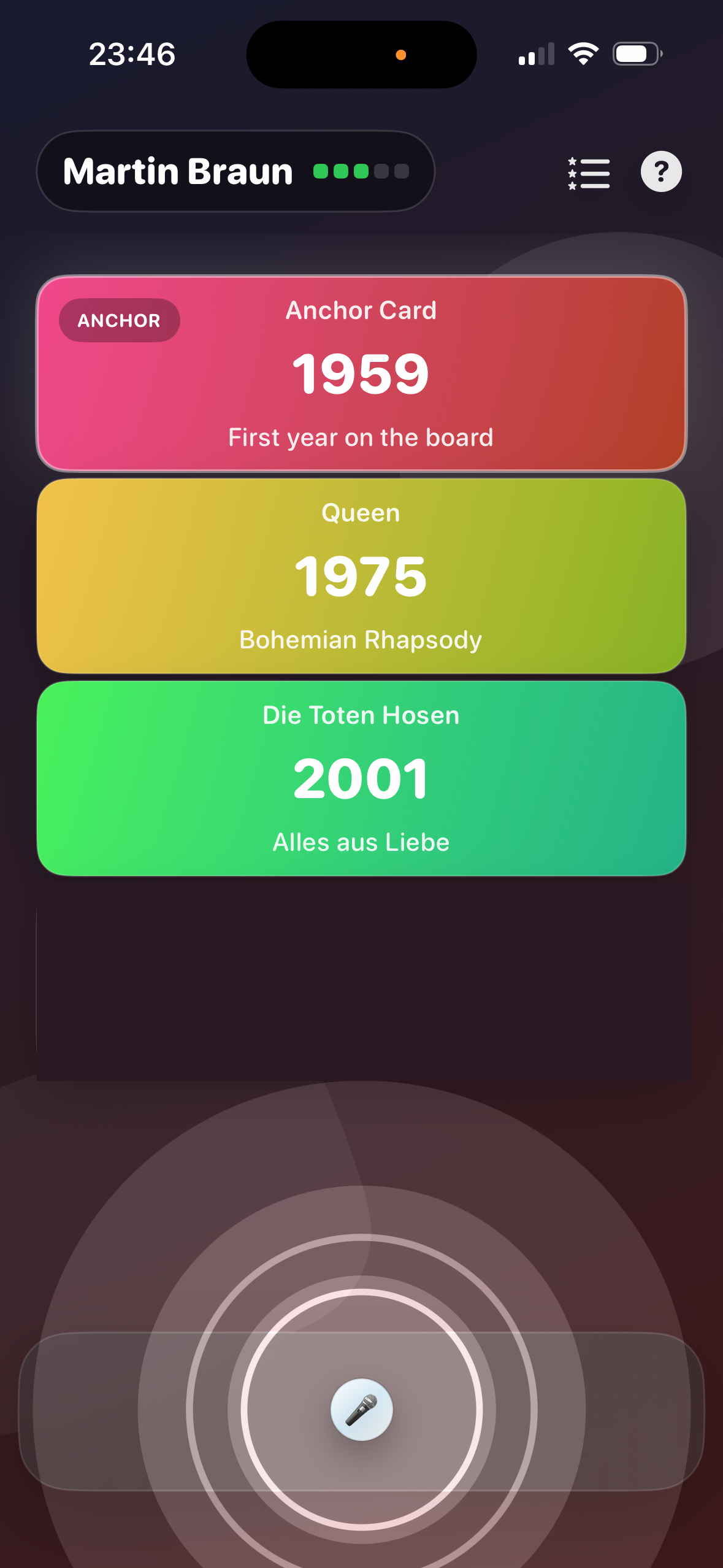
Play a song on a speaker or another device. Tap the mic so the app can recognize the snippet.
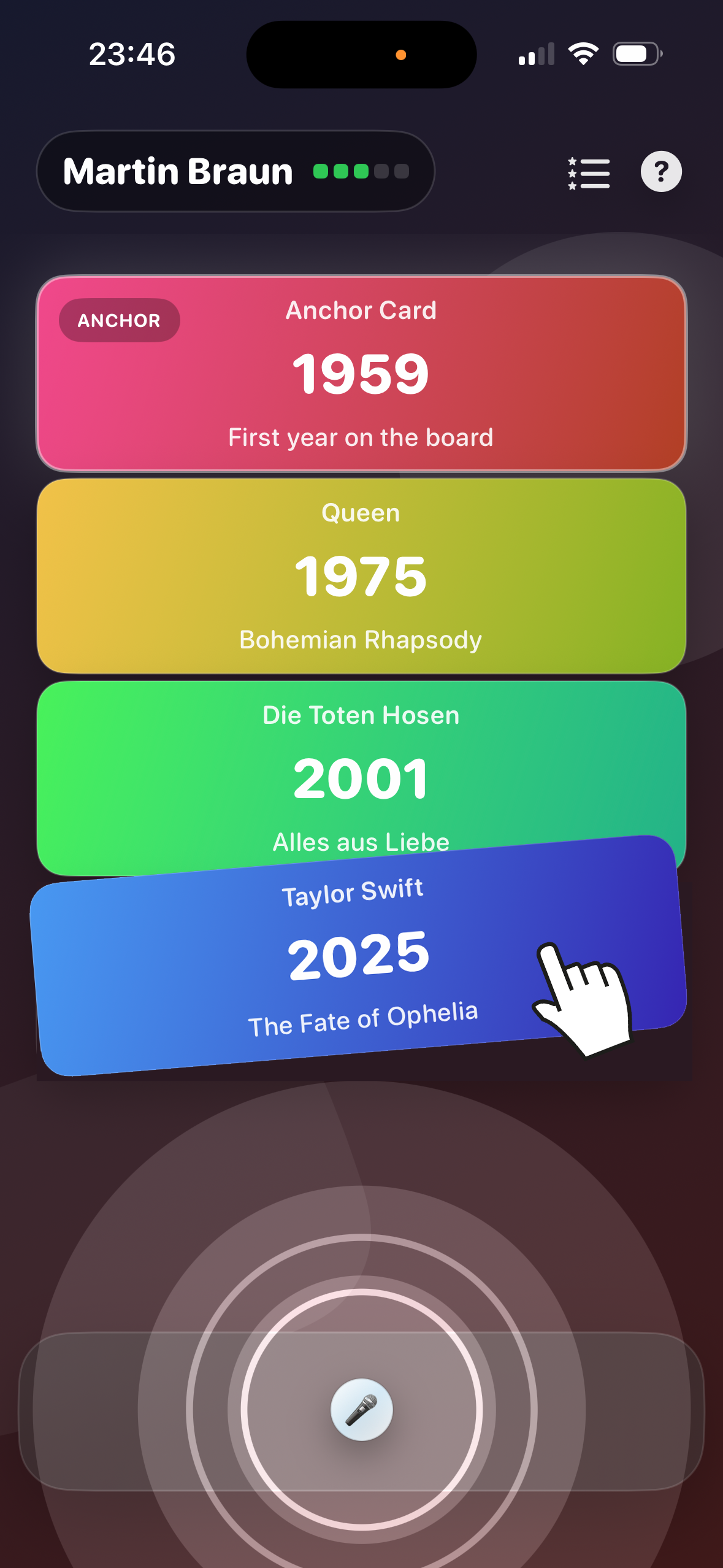
Move the new card into the right position on your timeline. Adjust until it feels correct, then reveal.
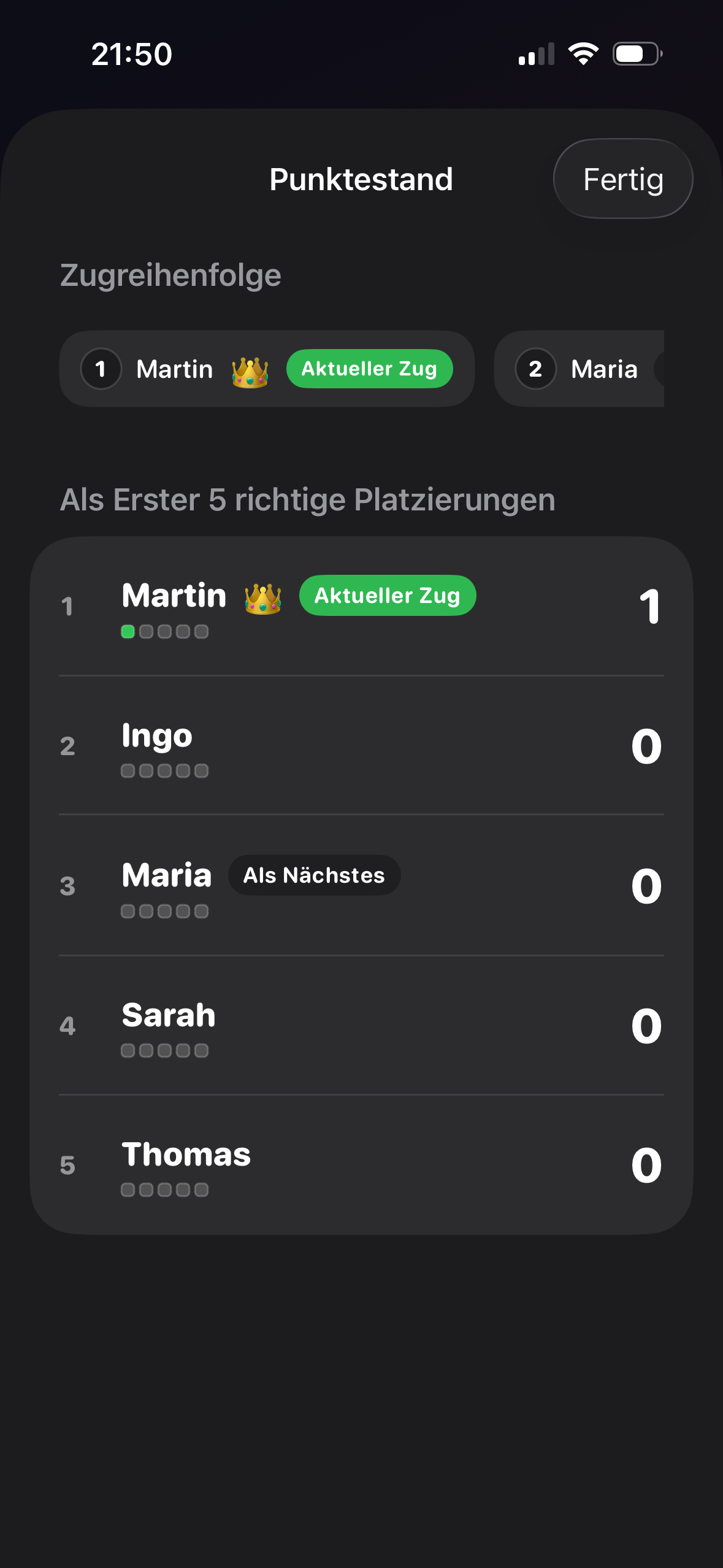
After each reveal, hand over the phone to the next player. Check the scoreboard and see who's closest to winning.
FAQ
Short answers: Chrono Vibes is a music recognition timeline party game, designed for quick turns and pass-and-play multiplayer.
Is Chrono Vibes like Hitster?
Yes! Chrono Vibes is like a digital version of Hitster. Instead of physical cards, it uses real-time song recognition. Same fun, no card deck needed.
Is Chrono Vibes free?
You can try it free with 3 solo plays to get a feel for the game. To unlock multiplayer and unlimited plays, there's a small one-time purchase. No subscriptions, no ads.
How many players can play?
2 to 8+ players in multiplayer mode! Pass one iPhone around. Perfect for parties, bars, game nights, and family gatherings.
What music sources work?
Any! Spotify, Apple Music, YouTube, Amazon Music, radio, vinyl records - anything that plays audio works.
What's the best setup?
Play music on an external speaker/device and keep your iPhone close. Works best with clear audio.
Is there a privacy policy?
Yes. We don't collect personal data. The microphone is only used during active song recognition.
Legal
Quick links for app stores and press kits.
Privacy
We don't store personal user data. Microphone access is used to recognize songs. Read the full policy on the privacy page.
Contact
Questions, partnerships, or press inquiries?
Email: hello@chrono-vibes.com